
Instructions for Summary of Changes (SoC)
The Summary of Changes (SoC) is a document which compiles and explains all the modifications made (using track changes) to a different document, such as an Informed Consent Form (ICF), protocol, protocol synopsis or Investigator’s Brochure (IB).
The translation of a SoC, itself, is not a track changes translation request. It is a translation from scratch, to be done using the SDLXLIFF file we will provide you with, to be translated in Trados or whichever CAT tool you use. However, the content you will translate will explain the track changes done in the other document (which will be used for reference for the SoC translation). Those track changes will be mentioned in the text to translate, using the same exact wording as in the reference document, so those texts need to be translated exactly as they were translated in that other document. We will always send you that reference translation, as we will need you to extract the translation of the texts from it.
The SoC usually starts with a piece of text which explains the purpose of a SoC and the format in which the changes will be featured in the document but, apart from this, the greatest part of the SoC document will be a table where all the changes will be listed and explained.
Let’s see an example of a SoC to translate (of course, consider each SoC can have a different structure):
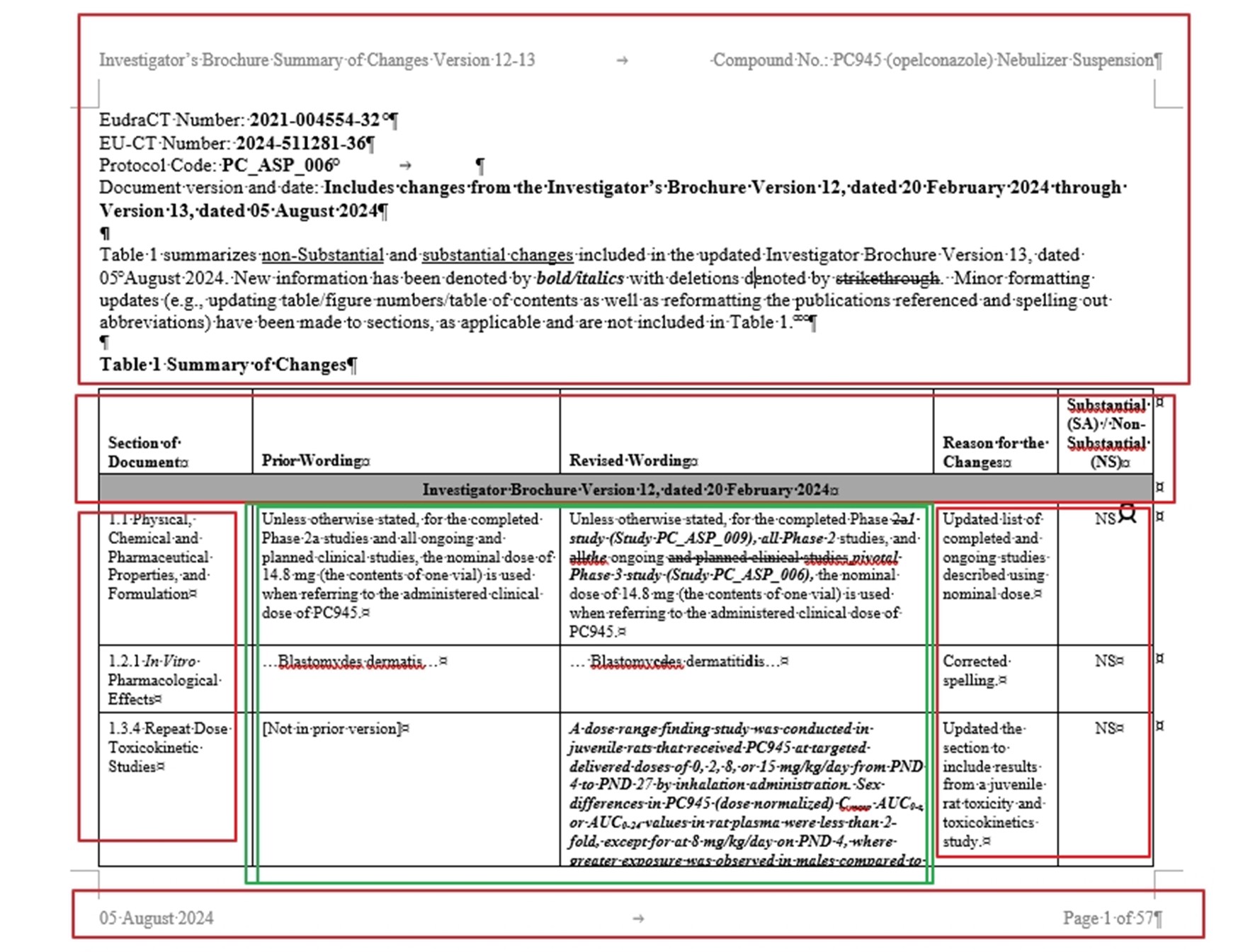
Parts marked in red will be translated by you following your best knowledge (also the client’s TM, as in all translation requests), but the columns featuring the text from the reference document MUST always be translated exactly, using the same wording, as in the reference document.
Remember the text in the SoC is not track changes, but mimicking the track changes format. Normally, additions are underlined; words to be removed are crossed out and there can be text in italics and bold.
Following the previous example in the screenshot, let’s see how that first change mentioned appears in the reference document:
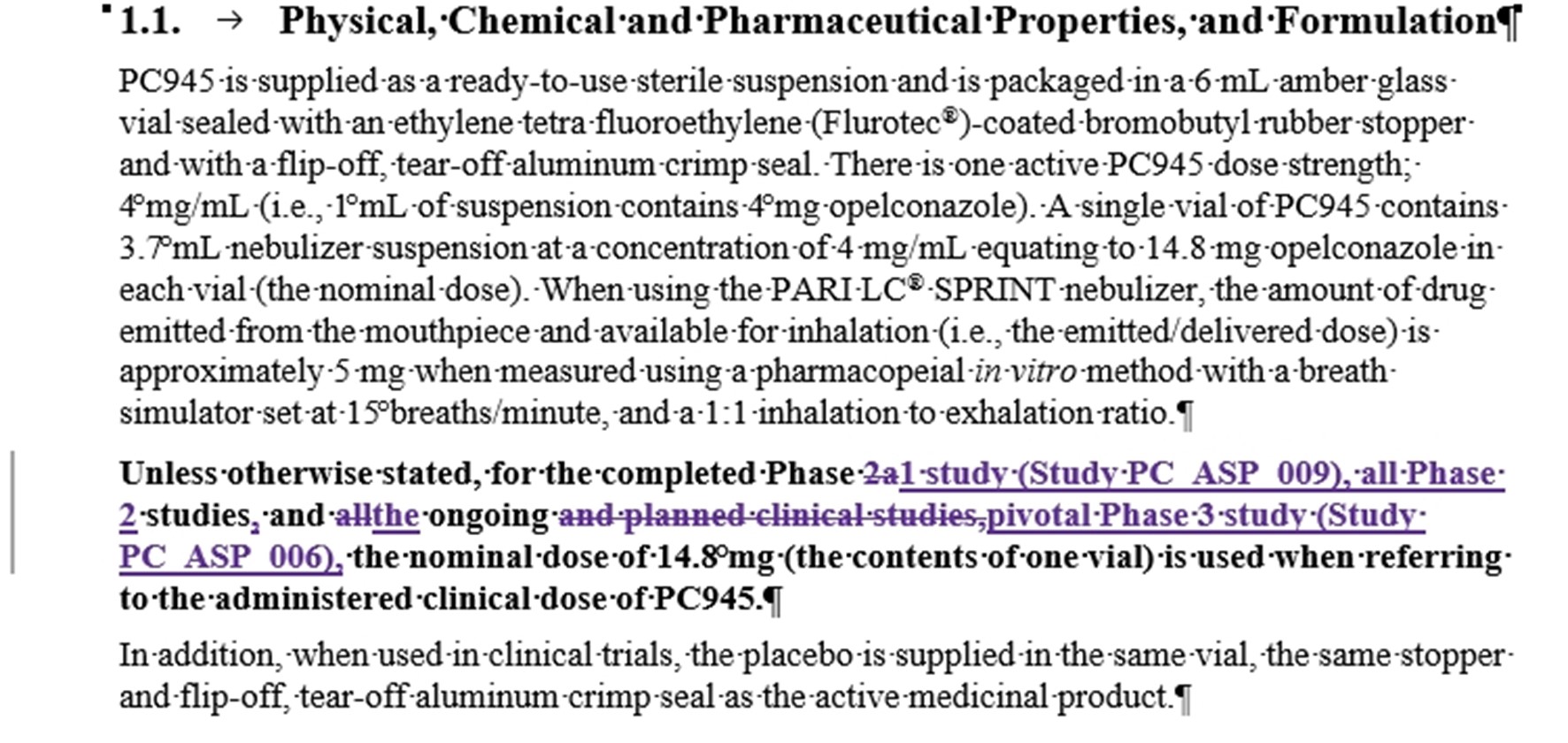
What we will send you is the previously translated reference document. You must copy the translation of each sentence from the reference translation into the segment in Trados and then copy the exact format present in the source segment (underline, cross out, italics, bold, etc.). In other words, the translation will be extracted from the reference document, but you will then adapt it so it will completely match the source segment.
Tip: it is easy to underline words in Trados but it is not that easy to apply certain other types of format features. You may apply formatting easily as follows: select those words in the target segment, while pressing CTRL button in the keyboard, click on any word in the source segment with the format you need and it will be copied in the target segment.
VERY IMPORTANT: Content differences between the texts in the SoC and the texts in the translated reference document are never expected, as both documents should completely match, word by word. If you find any discrepancy, please let us know as soon as possible, in order for us to seek advice from our client. Normally, we will need to use the reference translation as possible but the priority is to be faithfull to the exact wording in the SoC we are translating, but this will need to be confirmed with the client on a case-by-case basis.