Translators Knowledge Base
SRT file translation process: Character limit on target segments
- Download and install the following plugin (Trados must be closed): https://appstore.rws.com/Plugin/5
- IMPORTANT NOTICE: This plugin only works with Trados packages, not with individual sdlxliff files.
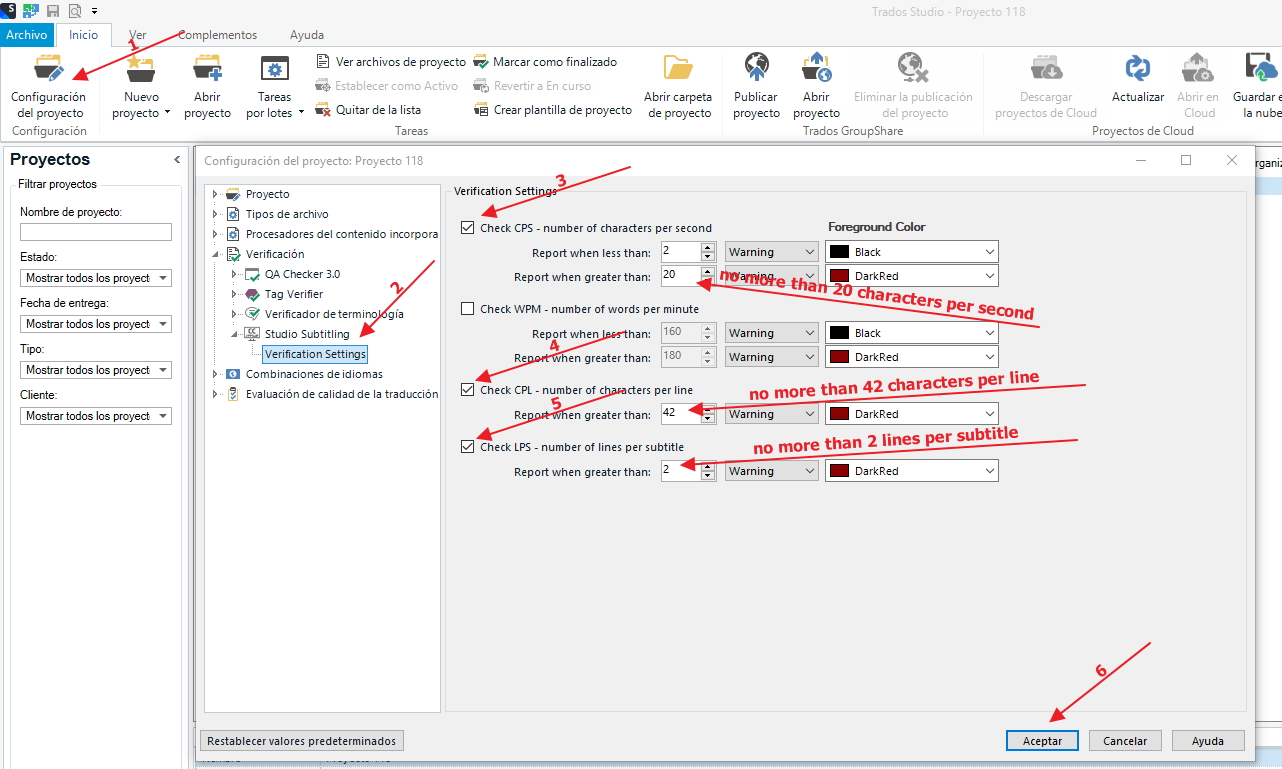
- Once installed, in the project, go to Project Settings > Studio Subtitling > Verification Settings and set the character limit per second, per line and the number of lines per subtitle:
-
- CPS: set to a maximum of 20 characters per second.
- CPL: set to a maximum of 42 characters per line.
- LPS: set to a maximum of 2 lines per subtitle.
- If you exceed the limit in any segment, when you confirm the segment, Trados will inform you of the error in the sdlxliff as follows:
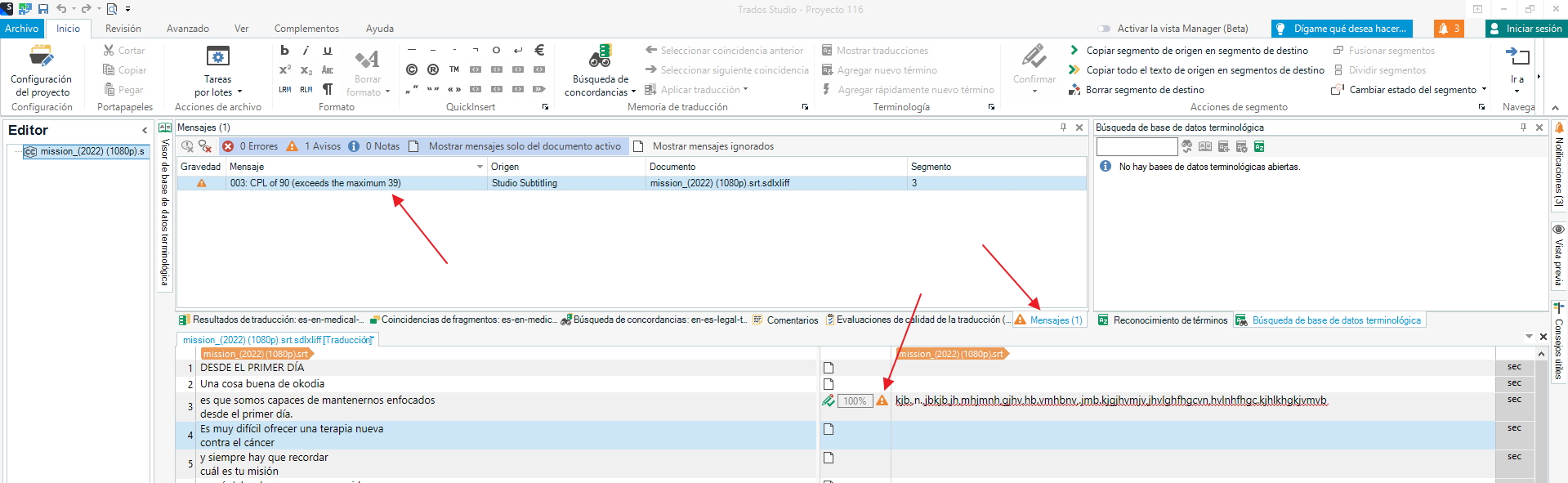
- Check and correct/fix the translation as needed, in order to make the translation fits the limitations. (In the event it is absolutely impossible, please let us know).
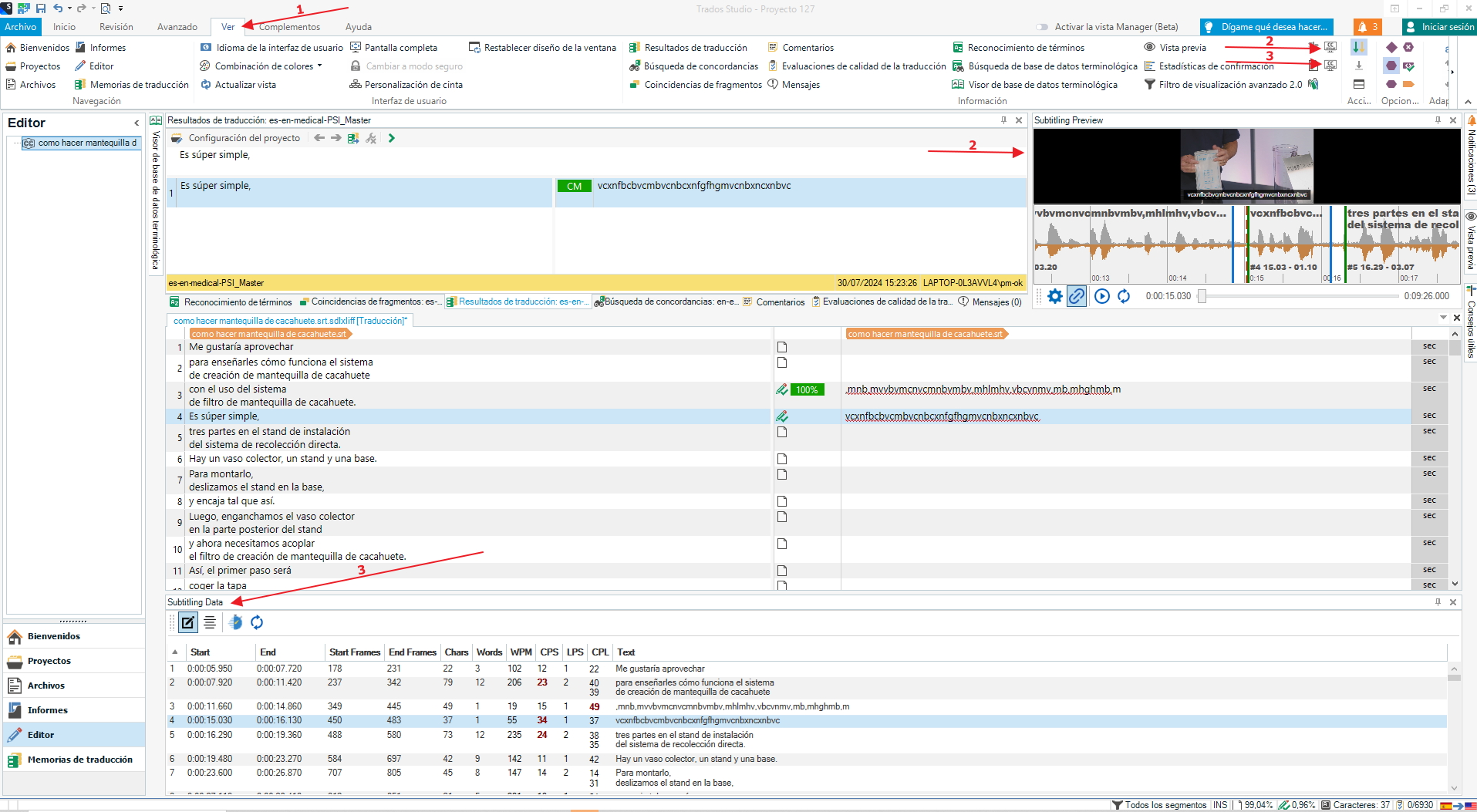
While translating the .srt, two options can be selected in the View tab that can be very useful:
- Subtitling Preview: if the video has been included in the package as reference, you will be able to watch it. You will also see the video’s subtitles changing as you translate them in real time.
- Subtitling Data: it allows to see the time, characters per second (CPS) and characters per line (CPL). They appear in red when the limit is exceeded.
Remark: you can move and place the windows wherever you prefer.